

- よく見られているキーワード
-
- 関連するキーワードで絞り込む
-
How to open a ticket with WisE helpdesk?
After logging in to WisE, click the Need help link to open the WisE TTC Global FAQ page.
Then, in the bottom-right corner of the FAQ page, click the Vivi “Can I help you?” icon.
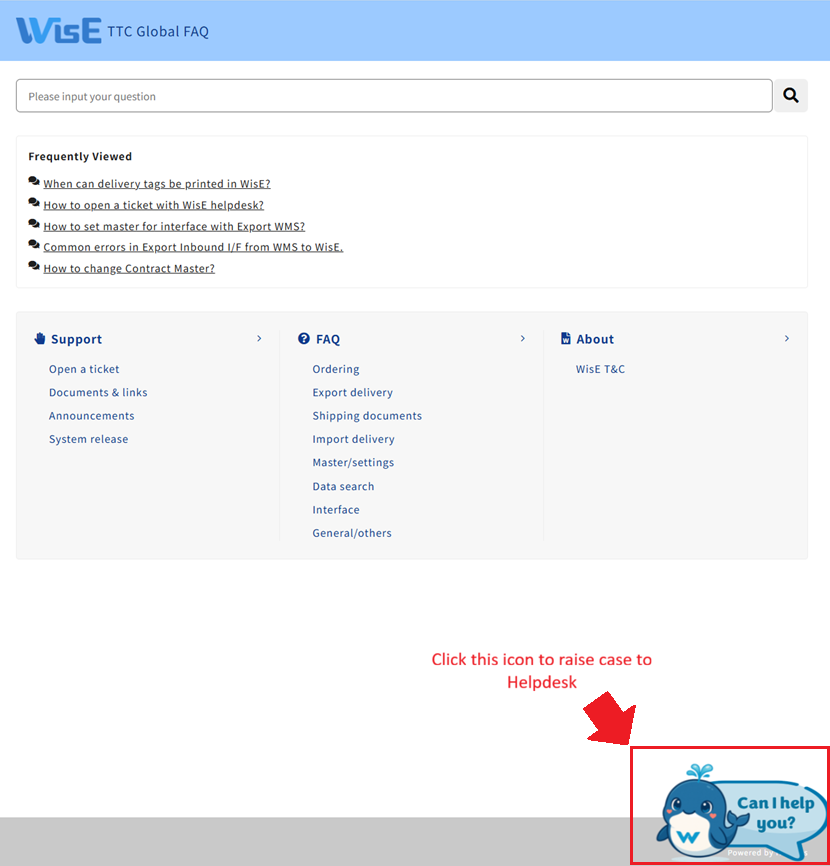
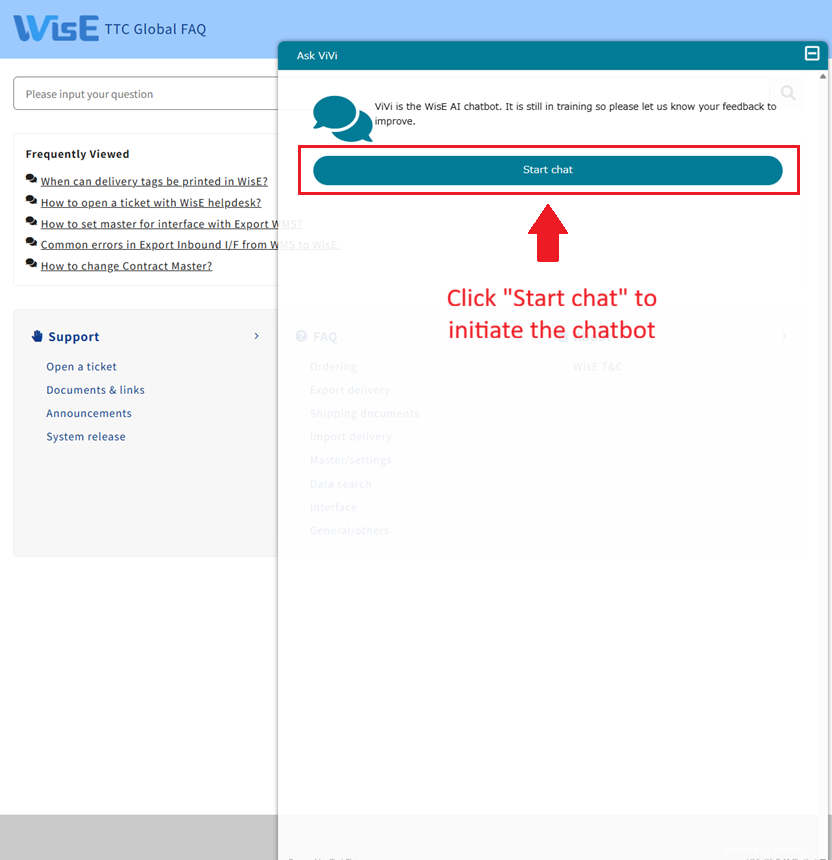
After clicking the Vivi icon, a chat popup will appear.
Click “Start Chat”.
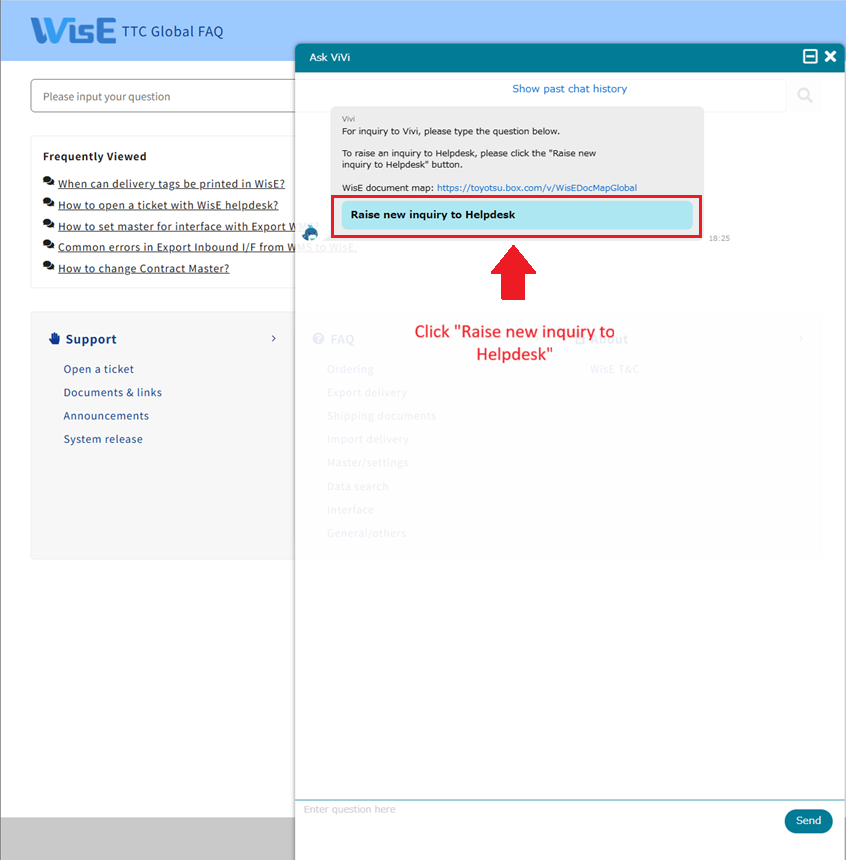
Next, click “Raise new Inquiry to Helpdesk”.
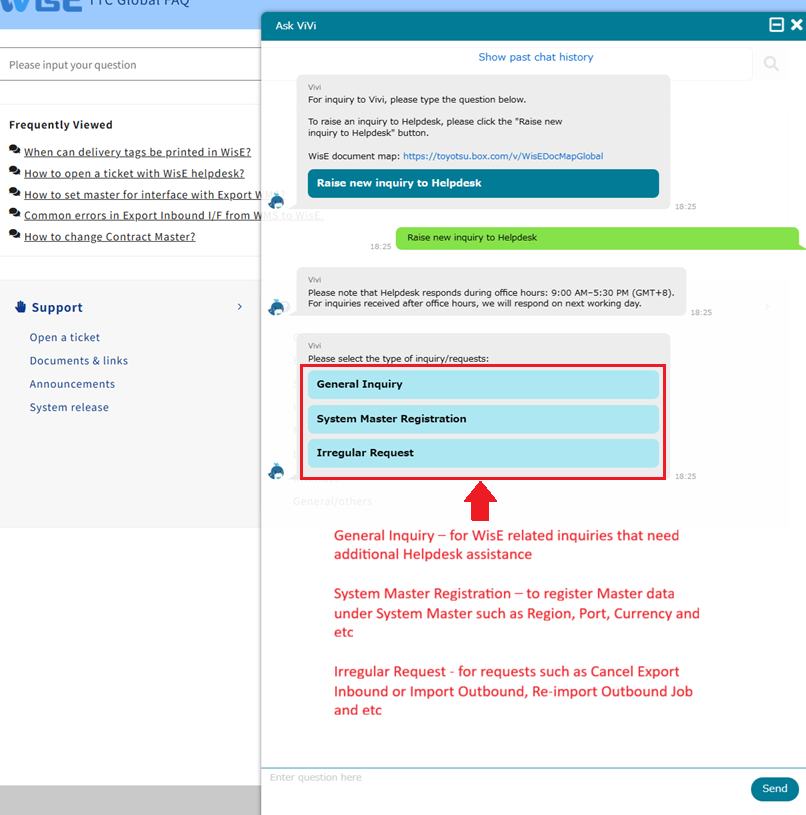
There will be a list of inquiry types you can choose from, depending on your needs.
Related FAQ: